
Practical Guidance on Finding Free OnlyFans Content – Insights from Quora
Understanding OnlyFans: Platform Basics
OnlyFans is a subscription‑based platform that lets creators share photos, videos, and written posts directly with paying fans. While the service is best known for adult content, many creators also offer fitness tutorials, cooking demos, and artistic work. Users pay a monthly fee set by the creator, and in return they receive access to a private feed that isn’t indexed by search engines. The platform also provides messaging tools, tipping options, and a built‑in payment system that handles payouts securely. Understanding these fundamentals helps you assess whether a free offering aligns with the platform’s standard business model.
Because the core model revolves around paid subscriptions, the amount of genuinely free material is limited. Creators may post teaser clips, promotional images, or occasional “free posts” to attract new subscribers, but most premium content stays behind a paywall. Knowing this structure makes it easier to spot legitimate free content versus misleading claims that promise full access without cost.
Why Users Search for “OnlyFans Free” – The Real Motivations
People type “onlyfans free” into search engines for several reasons. Some are curious and want to see if they can sample a creator’s style before committing financially. Others hope to find exclusive content without spending money, often driven by budget constraints or the desire for anonymity. A secondary motive is the perception that “free” content is a loophole to bypass the platform’s subscription model.
These motivations shape the type of advice you’ll encounter on forums like Quora. Answers that focus on short‑term access tend to emphasize temporary workarounds, while those aimed at long‑term engagement discuss building a relationship with creators through free samples and promotional offers. Understanding the underlying intent can guide you toward the most useful strategies.
OnlyFans Free Quora: What the Community Says
Quora hosts a lively discussion about free access to OnlyFans, with users sharing personal experiences, cautionary tales, and step‑by‑step instructions. Common themes include looking for creator‑run free weeks, using social media links, and exploring curated lists that aggregate free profiles. Many contributors stress that “free” often means limited snapshots rather than full libraries.
Common Myths Debunked
- Myth: There is a universal password that unlocks all creator pages. Reality: Each creator sets their own subscription price.
- Myth: Third‑party websites can legally download premium content for free. Reality: Most such sites violate OnlyFans’ terms and can expose you to malware.
- Myth: “Free trials” give unlimited access. Reality: Trials usually provide a single preview period and then revert to a paid model.
The consensus on Quora leans toward caution: explore free offers directly on the platform, verify the creator’s credibility, and avoid sketchy external tools.
Safe Ways to Access Free OnlyFans Posts
If you decide to pursue free content, start with the most reputable channels. Creators often announce free weeks or giveaway events on their Twitter, Instagram, or TikTok accounts. Following these social profiles gives you direct notifications without needing third‑party services.
Another reliable method is to use OnlyFans’ own “free subscription” feature. Some creators set a price of $0, allowing anyone to subscribe without a payment method. This approach respects the platform’s terms and keeps your personal data safe.
Below is a quick checklist of safe practices:
- Visit the creator’s verified social media links first.
- Look for official announcements of free weeks or $0 subscriptions.
- Avoid sites that ask for your OnlyFans login credentials.
- Use a dedicated email address to keep promotional messages separate.
- Never download files from untrusted sources; stick to the platform’s built‑in media viewer.
How to Unsubscribe and Avoid Unwanted Charges
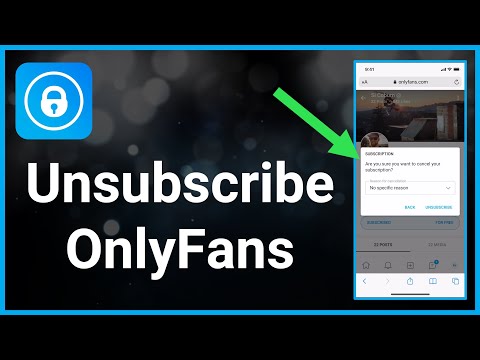
Many users discover a free offer, sign up, and later forget to cancel before the trial ends, leading to unexpected billing. The process to unsubscribe is straightforward but varies slightly depending on device type.
Follow these steps to ensure you are not charged:
- Log in to your OnlyFans account.
- Navigate to the “Subscriptions” tab in the dashboard.
- Find the creator you wish to cancel and click “Unsubscribe.”
- Confirm the cancellation in the pop‑up window.
- Check your email for a confirmation receipt and keep it for reference.
Remember that unsubscribing does not delete your account; you can still follow creators for free updates if they provide any.
Comparing Free vs. Paid Features
Understanding the trade‑offs helps you decide whether to stay with a free plan or upgrade to a paid subscription. The table below outlines the typical differences you’ll encounter on most creator pages.
| Feature | Free Access | Paid Subscription |
|---|---|---|
| Content Volume | Limited preview clips or single images | Full library of photos, videos, and posts |
| Messaging | Read‑only or no direct messages | Two‑way messaging, custom requests |
| Live Streams | Rarely available | Exclusive live sessions and Q&A |
| Download Options | View‑only, no downloads | Downloadable media (if creator allows) |
| Priority Support | Standard community support | Direct creator assistance, faster response |
Free access is ideal for sampling a creator’s style, while paid subscriptions unlock the full experience, including personalized interaction and exclusive content.
Important Legal and Security Considerations
OnlyFans operates under strict terms of service that prohibit sharing login credentials, using automated scraping tools, or accessing premium material through unauthorized means. Violating these rules can result in account suspension or legal action from the platform.
Security-wise, always enable two‑factor authentication (2FA) on your OnlyFans account. This adds an extra layer of protection against unauthorized access, especially when you link the account to a payment method. Additionally, be cautious of phishing emails that mimic OnlyFans notifications; verify the sender’s domain before clicking any links.
Frequently Asked Questions About OnlyFans Free Content
Below are some of the most common queries users have after reading Quora discussions.
- Can I get unlimited free content? No. Free content is intentionally limited to give a taste of the creator’s work.
- Are there any legal ways to download paid posts for free? Only if the creator explicitly offers a downloadable version; otherwise, downloading without permission breaches the platform’s policy.
- Do free subscriptions show up on my credit card statement? They should not, as no payment is processed. However, double‑check your bank statements after any trial period.
- What should I do if a third‑party site asks for my OnlyFans password? Immediately refuse and report the site; it is a common phishing tactic.
Final Checklist Before You Dive In
Use this concise list to ensure you’re prepared for a safe and satisfying OnlyFans experience, whether you’re exploring free content or planning to subscribe.
- Verify the creator’s official social media channels.
- Look for legitimate free‑subscription offers on the platform.
- Enable 2FA on your OnlyFans account.
- Set a reminder to cancel before any trial expires.
- Avoid sharing login details with any third‑party service.
- Keep an eye on your payment statements for unexpected charges.
- Visit www.bhookh.com for additional tips on managing subscription services safely.